

Connect scheduling through Cal.com
Scheduling is powered through Cal.com integration, giving the assistant a real booking path without pretending to support every provider under the sun.
Appointments & Booking
Convoscale helps your assistant move naturally from intent to scheduling, so interested visitors can find availability and book in-chat through your Cal.com connection.
User • Just now
Agent • Typing...
User • Just now
Agent • Typing...
Intro
When someone is ready to talk, friction is expensive.
Convoscale helps turn that moment into a booked meeting without forcing people into a clumsy off-ramp that kills momentum.
Booking Flow
Scheduling is powered through Cal.com integration, giving the assistant a real booking path without pretending to support every provider under the sun.
Once connected, the assistant can show available time options directly in the conversation.
Visitors can move from questions to scheduling inside the chat experience instead of bouncing through disconnected steps.
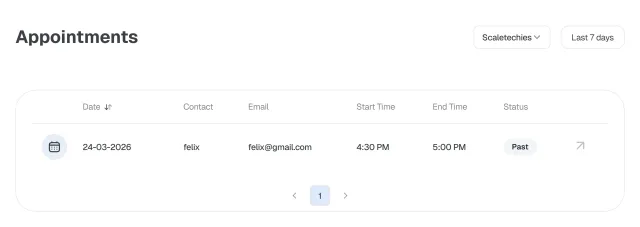
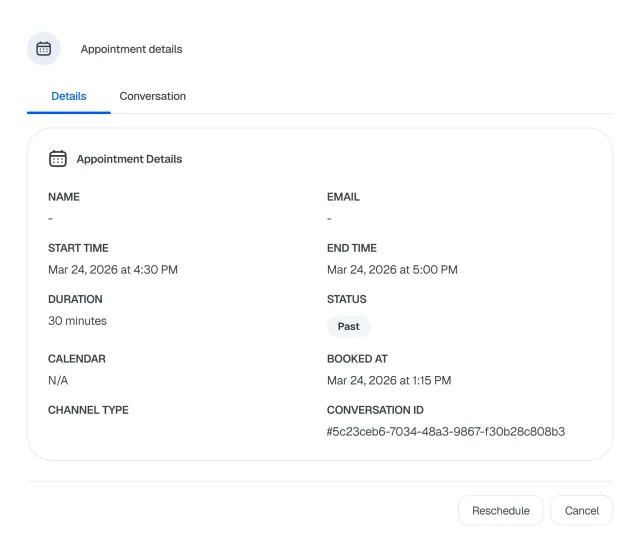
Bookings appear in Appointments with linked conversation context, so your team can see what led to the meeting.
Appointments are surfaced with clear statuses:
That gives teams a cleaner operational view of what has been booked and where each appointment stands.
Booking is where intent becomes commitment.
If the path is awkward, delayed, or disconnected from the conversation that created the interest, conversion suffers.
Convoscale helps keep that transition clean.
Make it easier for interested visitors to actually take the next step.
Keep the conversation context attached so meetings start warmer.
Let the assistant surface availability and book in-chat once Cal.com is connected.
Track booked conversations through a clear appointments view.
Use Convoscale to turn conversations into booked meetings with a cleaner in-chat flow.