

Status and behavior defaults
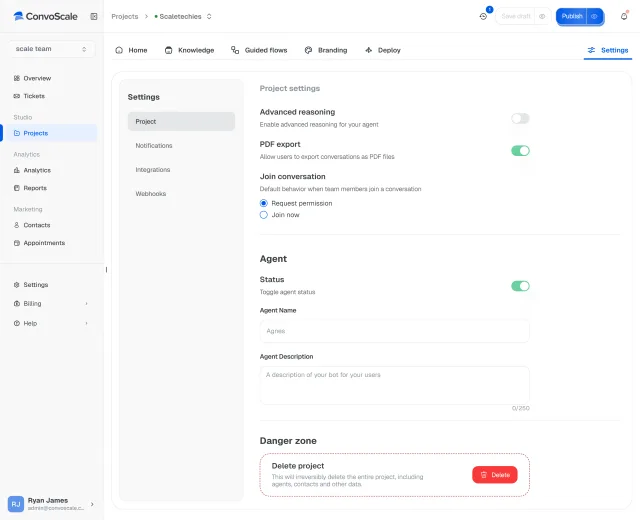
Projects define core assistant behavior and default operating settings.
Projects
In Convoscale, every assistant runs through a project that governs behavior defaults, knowledge, channels, publishing, and iteration from one structured control center.
Intro
A project is not just a folder with a nicer name.
In Convoscale, it is the operational unit that controls how an assistant is configured, deployed, and improved.
That structure matters once you have real traffic, real channels, and real business consequences.
Projects
Projects define core assistant behavior and default operating settings.
Knowledge, channels, and delivery surfaces are managed within the project, so the assistant is not split across disconnected control points.
Publishing is tied to the project, giving teams a cleaner deployment workflow.
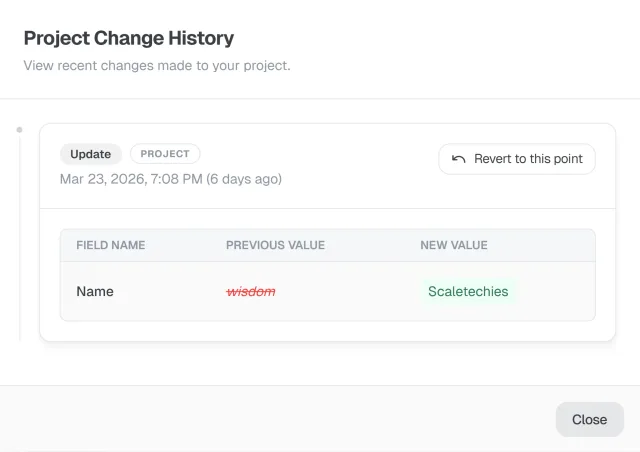
Projects support ongoing iteration, and change history gives teams a lightweight recovery path for recent edits.
The workflow supports:
When you publish, key assets and configuration sync accordingly.
Projects also maintain a change history, giving teams a lightweight recovery path for recent edits.
Without a strong project model, AI products get messy fast.
Settings drift. Knowledge gets confused. Teams publish the wrong thing. Recovery gets ugly.
Convoscale makes projects the control center, with draft-to-publish workflow and capped browser-scoped history to support safer iteration.
Draft, preview, publish, and iterate from one structured place.
Keep defaults, channels, and knowledge organized at the project level.
Use project change history as a lightweight rollback aid for recent browser-scoped changes.
Projects make it easier to manage multiple assistant experiences without losing control.
Use Convoscale projects to manage configuration, publishing, and iteration in one place.